Case submission
A six-step form with scans (STL, OBJ or PLY), eight photo views and X-rays. Reuse scans from your library, and upload refinement scans to an open case.

The case form, the prescription, PlanStudio and the plan report: the tools BClear Rx gives you in the portal.
PlanStudio opens every plan in the browser, on desktop or phone. Nothing to install.
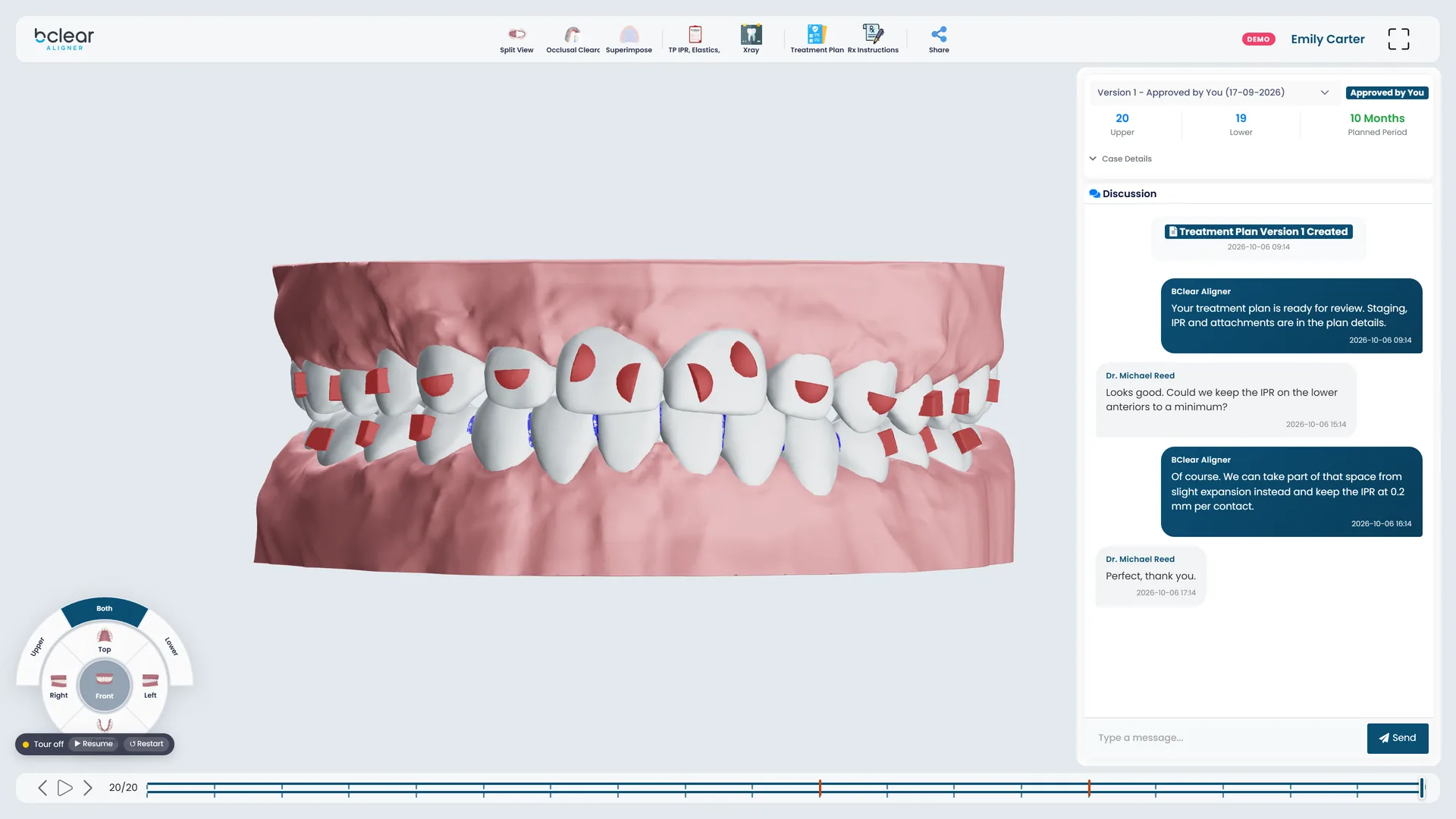
Play, pause or step through every stage, with a progress bar that marks where IPR happens.
Upper, lower or both arches, from the top, bottom, front, left or right.
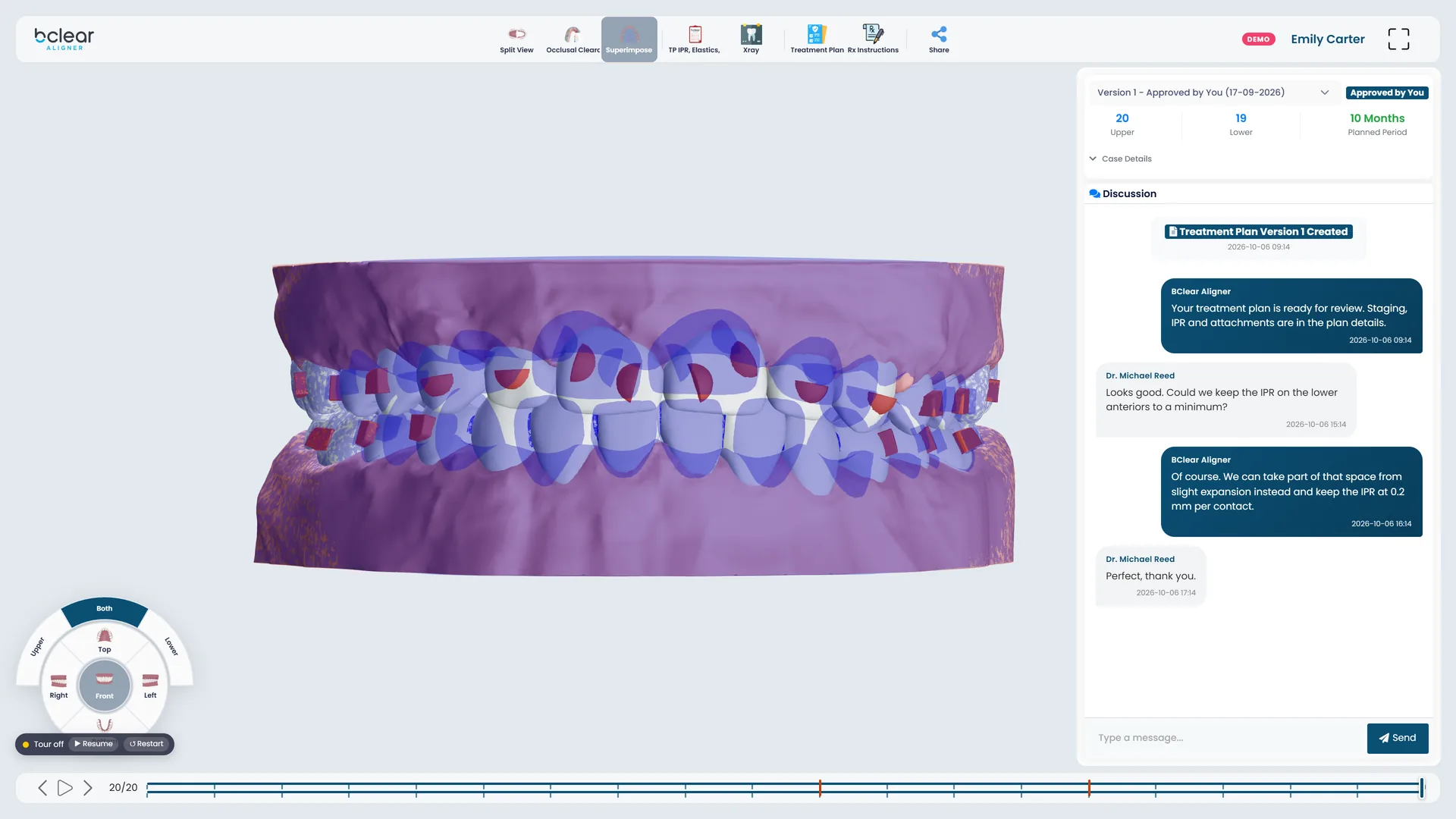
Lay the first stage over the current one to see exactly how far each tooth has moved.
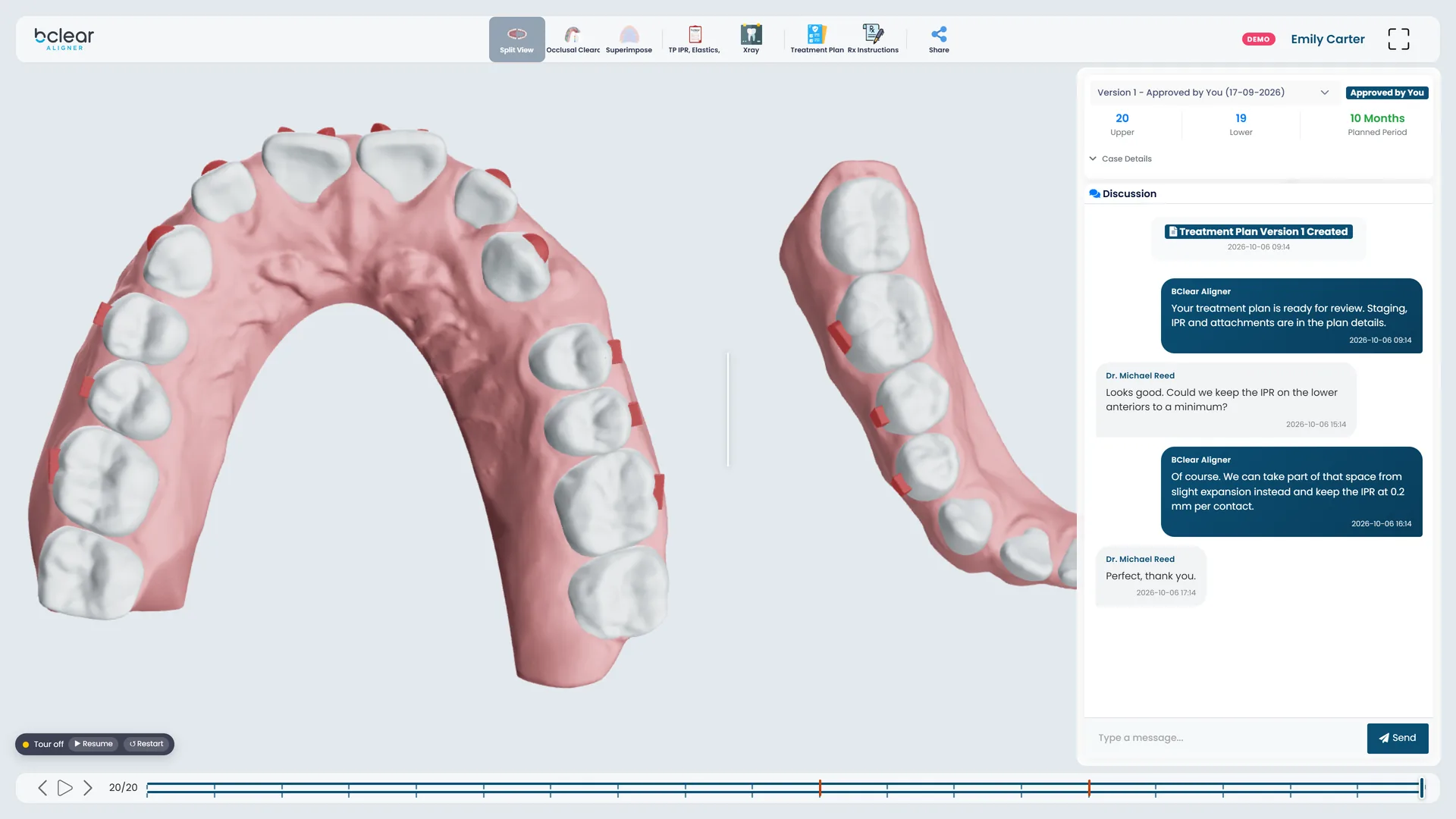
The upper and lower arches side by side.
A simulated heat map of how close the arches come, from the planned tooth positions.
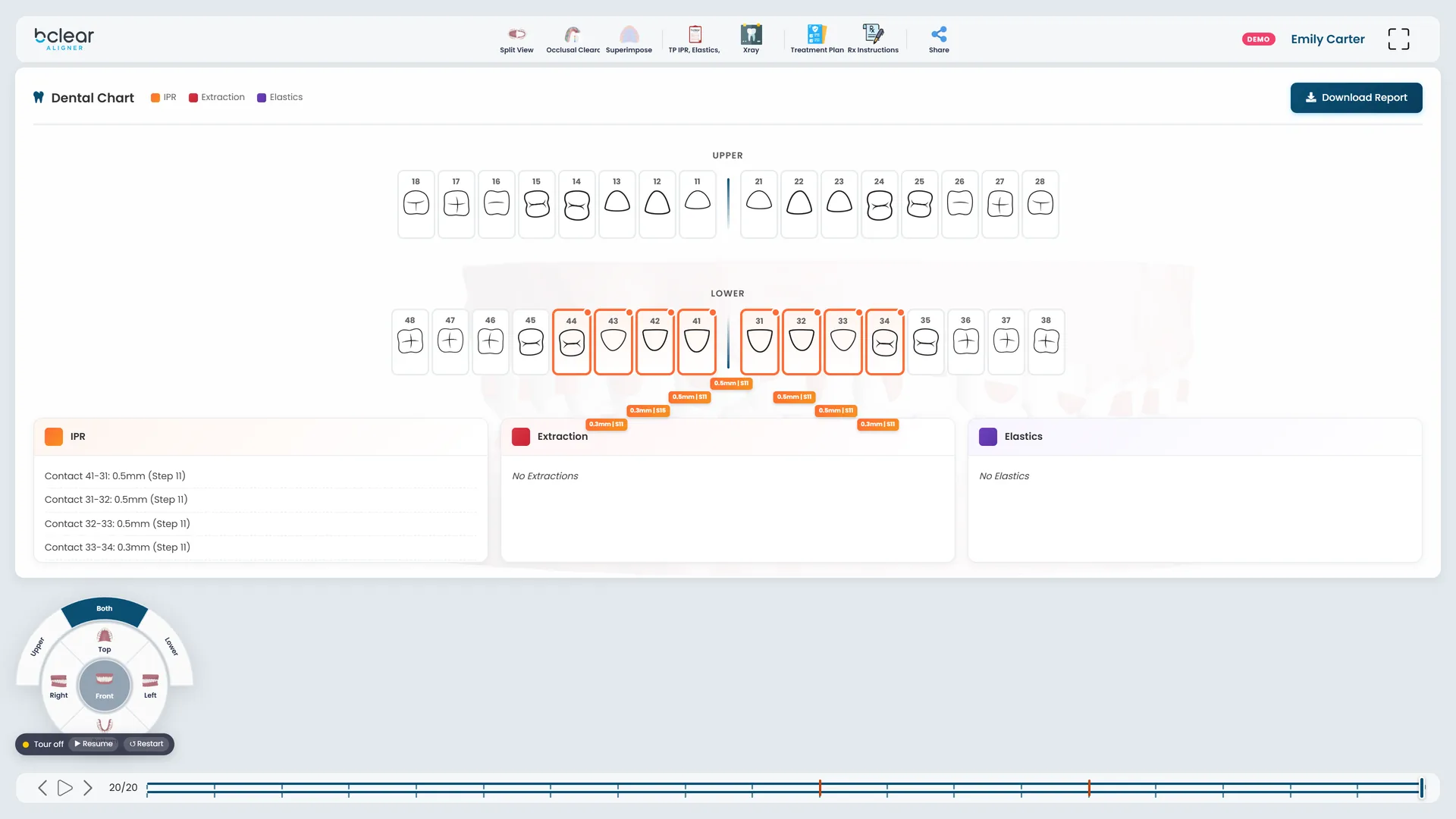
A dental chart with the IPR at every contact, plus elastics and extractions.
The case photos and X-rays, one click from the 3D model.
Aligner counts for each arch, the planned period, and the prescription you sent.
A chat with the planner inside the case, kept with the plan.
Every revision is kept as a version you can go back to.
Approve the plan, or send it back for another version.
A link that opens the 3D plan for your patient, or the dentist you work with.
| Ultimate | Express | |
|---|---|---|
| For | Orthodontists | General dentists |
| Diagnosis | Major and minor issue picker, plus your notes | Your notes |
| AP relationship | Right and left: maintain, improve canines, improve molars and canines, or correct to Class I, and how | Planned for you |
| Overjet and overbite | Maintain or correct, with the method for open or deep bites | Keep or improve |
| Midline | Maintain, or move it right or left with IPR | Keep or improve |
| Spaces | Close all, or distribute | Close all, or distribute |
| Crowding | Expansion, proclination, anterior and posterior IPR: yes, no or if required | Improve with or without IPR |
| Anterior crossbite | Through your notes and preferences | Keep or improve |
| Restrictions | Teeth to extract, not to move, or without attachments | Teeth to extract, not to move, or without attachments |
| Clinical preferences | Saved once: staging limits, IPR limits, elastics cut-outs, bite ramps, overcorrection, pontics, wear cycle | Not needed |
A six-step form with scans (STL, OBJ or PLY), eight photo views and X-rays. Reuse scans from your library, and upload refinement scans to an open case.
After you approve a plan: a template STL and one STL for each step, to download one by one or as a single zip.
A report for each plan with the IPR chart and table (tooth, amount and before which aligner), elastics, extractions and the planner's notes.
Administrators, plus assistants or receptionists who can follow every case in the clinic or lab.
Email and in-portal notifications when a plan is ready for review, a message arrives or a case changes.
The portal in English, French, German, Spanish, Russian or Turkish, and tooth charts in FDI or Universal numbering.
Book a live consultation with a BClear expert when a case needs a conversation.
Create your account in a few minutes. Verify your email, choose a bundle, and upload your first scans.